
No-Code CRM: Boost Sales Without Extra Staff
Sales, CRM, Automation, Small Business Growth
No-Code CRM Automation: How SMEs Close More Deals Without Hiring Extra Staff
Most small business owners know they need a CRM. What stops them is the assumption that automation means complexity — that you need a developer, a large IT budget, or weeks of setup time to get it working. In 2026, that assumption is outdated. A new generation of no-code CRM automation platforms has completely removed the technical barrier. Today, any SME owner can build automated lead pipelines, schedule follow-up sequences, qualify inbound prospects, and trigger custom workflows — all without writing a single line of code. The results are significant: businesses using AI-driven CRM automation are reporting 30% higher win rates and 25% faster deal cycles compared to those still relying on manual processes. The best part? You don't need to hire extra sales staff to achieve this. Your CRM does the heavy lifting — qualifying leads, sending timely follow-ups, flagging hot prospects, and even predicting which deals are most likely to close. In this guide, we'll walk you through how no-code CRM automation works and exactly how your SME can use it to close more deals starting this week.
Why No-Code CRM Automation Matters for SMEs in 2026
For many SMEs in India, the UAE, the UK, the US and across Europe, the real constraint is not opportunity but capacity. Your team is already stretched: prospecting, demos, proposals, invoicing, account management. Adding more headcount is expensive and risky, especially in uncertain markets. This is where no-code CRM automation changes the equation. Instead of adding people, you add smart, automated processes that run reliably in the background.
Industry benchmarks in 2026 show that AI-enabled sales teams are seeing measurable gains across the funnel. McKinsey reports that embedding AI into sales workflows improves seller efficiency by 59% and customer experience by 53%. Salesforce’s State of Sales data indicates that 89% of sellers say AI deepens their understanding of customers, while 87% say it reduces job stress. For an SME, those percentages translate into very practical outcomes: more deals per rep, less burnout, and better visibility on which opportunities deserve attention now.
What Is No-Code CRM Automation, in Practical Terms?
At its core, no-code CRM automation lets non-technical users design and launch sales automation workflows through visual interfaces: drag-and-drop builders, point-and-click rules, and simple “if this, then that” logic. You are not building software; you are configuring how your CRM for small business should respond when specific events occur — a new lead fills a form, a prospect opens a proposal, or a payment is delayed.
- A lead submits a form on your website → the CRM automatically creates a contact, assigns it to the right salesperson based on region, and sends a personalised welcome email.
- A prospect clicks a pricing link in your proposal → the system adds them to a “high-intent” list and notifies your sales manager on WhatsApp or email to follow up in the next two hours.
- An invoice is overdue by seven days → the CRM triggers an automated follow-up sequence: a reminder email, then an SMS, then a task for your finance team if there is still no response.
Platforms like HubSpot, Zoho, Pipedrive, monday.com and newer AI-first tools have all moved in this direction. Analysts expect no-code capabilities to be standard in most CRM products by 2026, with Gartner highlighting no-code automation as a key driver of CRM adoption among smaller businesses.
From Static Database to AI Sales Pipeline
Traditional CRMs were essentially digital filing cabinets: they stored contact details, notes and deal values. Today’s leading systems, especially when combined with AI, act as an AI sales pipeline — a living system that learns from your data and suggests the next best action for every deal.
Recent pipeline studies show that AI influence across the funnel can increase lead-to-MQL conversion by 11% and MQL-to-SQL by 8%. Digital Applied’s 2026 dataset points to an 18-point lift in SQL-to-won rates when AI is embedded in the sales process. For an SME with a modest pipeline, this can mean converting one or two extra deals every month — without adding a single salesperson.
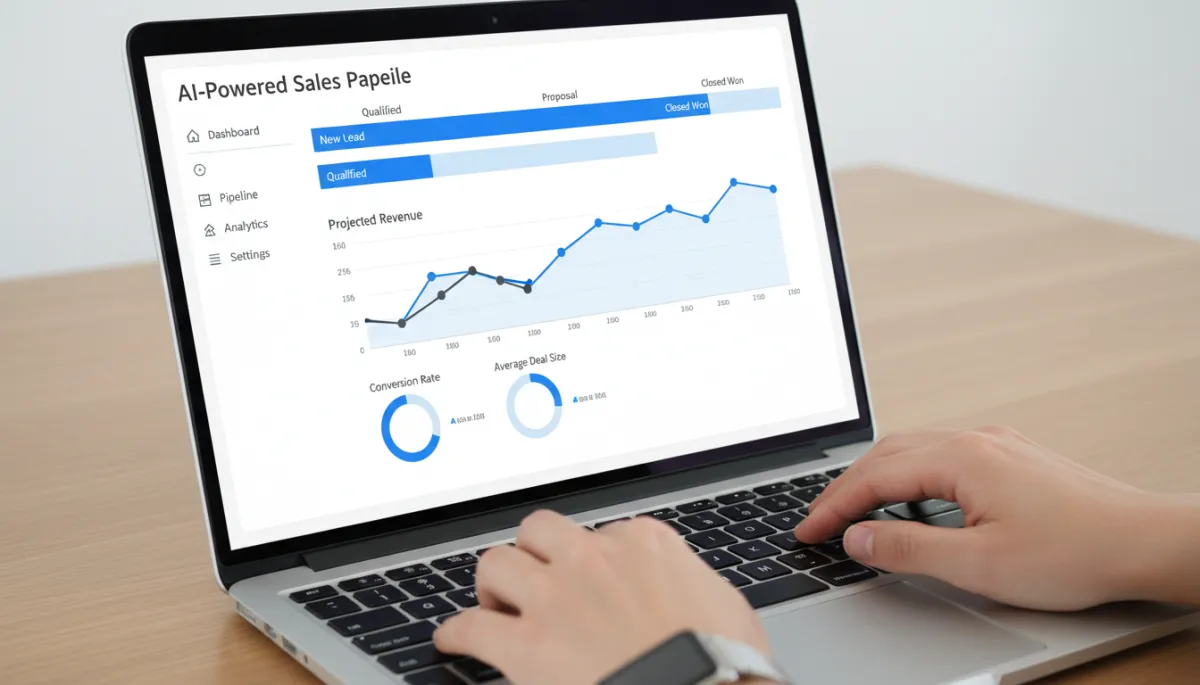
AI-enhanced pipelines help SMEs focus on high-intent deals and reduce wasted effort.
Key Automations Every SME Should Implement First
1. Lead Capture and Instant Response
The fastest way to lose a deal is to respond slowly. With no-code CRM automation, you can ensure every inbound lead from your website, WhatsApp, ads or marketplaces is captured instantly and acknowledged within seconds. A simple flow can:
- Create or update the contact in your CRM for small business.
- Send a personalised thank-you email or WhatsApp message with next steps.
- Assign the lead based on territory, product line or lead source.
2. Automated Follow-Ups That Never Forget
Most SMEs lose deals not because prospects say “no,” but because conversations simply fade away. Reps get busy, forget to call back, or struggle to juggle multiple time zones. By designing automated follow-ups in your CRM, you can ensure every prospect receives a consistent, professional sequence of touchpoints — email, SMS, and even LinkedIn nudges — until they respond or clearly opt out.
AI can further personalise these sequences by adjusting timing and message content based on behaviour: opens, clicks, website visits and meeting attendance. Salesforce data shows AI can cut email creation time by 36% and research time by 34%, giving your team more capacity to handle live conversations and complex negotiations.
3. Lead Scoring and Hot Prospect Alerts
Not every lead deserves the same level of attention. With an AI sales pipeline, you can assign scores based on firmographics (industry, company size, region), engagement (emails opened, pages viewed) and intent signals (pricing page visits, demo requests). When a lead crosses a certain score, the CRM automatically:
- Moves them to a “Priority” stage in your pipeline.
- Sends a real-time alert to the account owner via mobile app or email.
- Suggests the next best action — a call, a personalised video, or a limited-time offer.
4. Post-Sale and Renewal Automation
Closing the deal is only the beginning. For SMEs in services, SaaS, manufacturing or distribution, renewals and repeat orders are critical. No-code automation can handle onboarding checklists, training reminders, satisfaction surveys and renewal notices — ensuring your customers feel supported without overwhelming your team.

Structured onboarding and renewal workflows protect recurring revenue without extra headcount.
Choosing the Right CRM for Small Business: What to Look For
With dozens of options in the market, selecting a CRM for small business can feel overwhelming. Price is important, but it should not be the only factor. Seat-based pricing has climbed in recent years — some enterprise tools can cost $12,000–$20,000 annually for a 10-person team when you factor in implementation and AI add-ons. For SMEs, the sweet spot is a platform that delivers robust automation without enterprise-level complexity or cost.
- No-code automation builder: Drag-and-drop workflows, visual rules, and templates for common sales automation scenarios.
- AI assistance: Lead scoring, email suggestions, pipeline forecasting, and conversational layers that qualify leads automatically.
- Regional fit: Support for your currencies, languages and channels (for example, WhatsApp in India and the UAE, email and LinkedIn in Europe and the US).
- Integration-friendly: Connectors for your website forms, accounting system, marketing tools and support desk, ideally via no-code platforms like Zapier or Make.
- Clear reporting: Dashboards that show pipeline coverage, win rates, and campaign performance without needing a data analyst.
Avoiding Common Pitfalls: Data, Adoption and Over-Automation
While 93% of go-to-market teams report deploying AI agents, only 31% believe their infrastructure is truly ready. The biggest issues? Poor data quality and inconsistent usage. For SME leaders, three disciplines make the difference between a powerful AI sales pipeline and yet another under-used tool:
- Data hygiene first: Standardise fields, clean duplicates and agree on clear definitions (lead, MQL, SQL, opportunity) before you automate. AI amplifies whatever data you feed it — good or bad.
- Train your team: A Pipedrive survey found that 14% of users with AI-enabled CRMs never touch the AI features, often due to lack of awareness. Short, practical training sessions and simple playbooks help your team trust and use automation daily.
- Automate with empathy: Do not replace all human touchpoints with canned messages. Use automation to handle the repetitive work so your team can be more human where it matters — discovery calls, negotiations and relationship-building.

Regular reviews of automation performance keep your CRM aligned with real sales goals.
A Simple 7-Day Plan to Get Started
You do not need a six-month project plan to benefit from no-code CRM automation. Many SMEs can see impact within the first week by focusing on a few high-leverage workflows:
- Day 1–2: Integrate your website forms and key channels with your CRM. Ensure every new lead is captured automatically with source and campaign tags.
- Day 3: Build a simple instant-response workflow for new leads, including a thank-you email and task assignment for the right salesperson.
- Day 4–5: Design a five-step automated follow-up sequence for leads who have not replied, with a mix of educational content and direct calls-to-action.
- Day 6: Set up basic lead scoring and a “hot lead” alert to your sales channel when someone reaches a defined threshold.
- Day 7: Review early results with your team, refine messaging, and agree on one or two additional automations to implement next month.
Turn Your CRM into a Silent Sales Rep
For SME owners, operations heads and sales managers, the question is no longer “Should we use CRM?” but “Are we getting full value from it?” In 2026, that value comes from combining a modern CRM for small business with intelligent, no-code automation and AI. When configured well, your CRM behaves like a silent, always-on sales rep: capturing every lead, following up on time, prioritising the right opportunities and surfacing risks before they become lost deals.
Instead of hiring more staff to push deals through the pipeline, you build a system that scales with you — across regions, time zones and product lines. The SMEs that win in India, the UAE, the UK, the US and Europe over the next few years will be those that embrace no-code CRM automation early and treat it as a strategic capability, not just an IT tool.
If you are unsure where to start, begin by assessing your current website, lead flows and on-page messaging. Small improvements in how you attract, capture and nurture leads compound quickly when combined with automation.
Get a Free SEO / Website Audit at nexurate.com/free-audit. Use the insights to design a smarter, higher-converting funnel — then let no-code CRM automation and AI handle the heavy lifting in your sales pipeline.
