No-Code AI: Automate Your Business in 2026
No-Code, AI Automation, Small Business Growth
The No-Code AI Revolution: How Non-Technical Founders Are Automating Their Entire Business in 2026
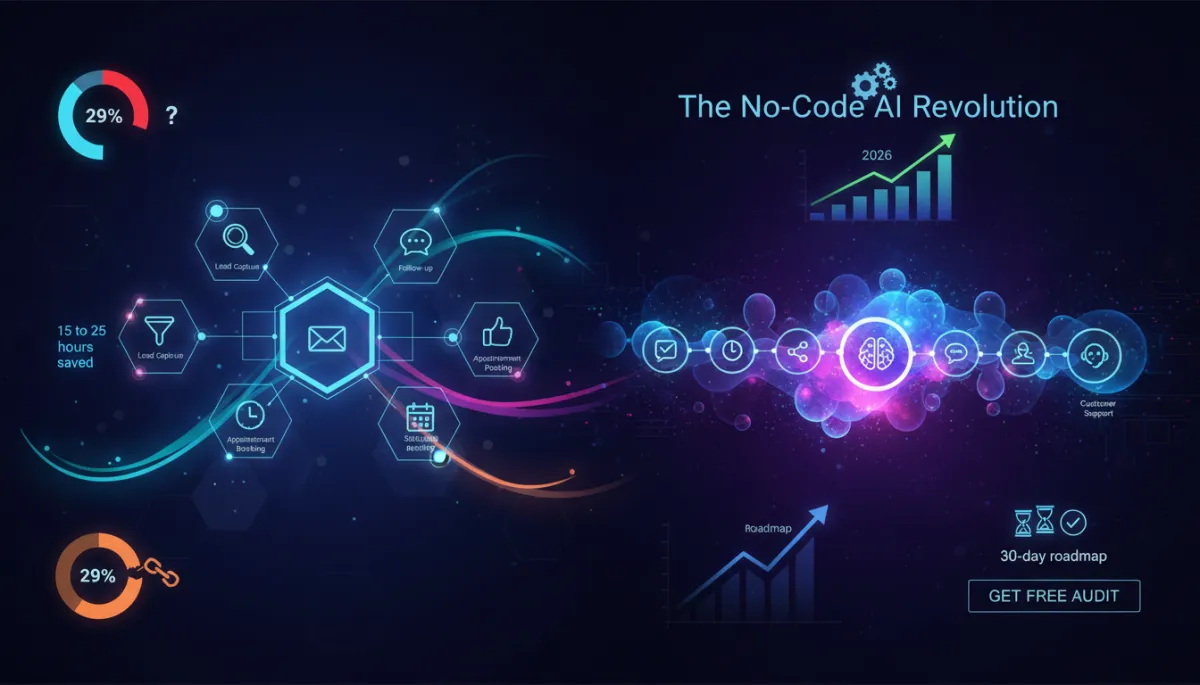
In 2026, no-code AI automation for business has finally crossed the line from “nice-to-have” to “unfair advantage.” You no longer need to write a single line of code to build AI-powered systems that capture leads, follow up, book appointments, post on social, and support customers while you sleep.
1. The No-Code AI Shift: Why 2026 Is the Breakthrough Year
Over the past few years, no-code tools quietly evolved from simple “if this, then that” automations into full-blown AI orchestration platforms. In 2026, that evolution hit a tipping point. Gartner estimates the global no-code/low-code market at around $65 billion, with roughly 70% of new apps now built using no- or low-code platforms. Within that, AI has become the defining growth engine, turning visual builders into intelligent, agent-driven systems that can reason, decide, and act across your tech stack.
For non-technical founders, the breakthrough isn’t just the technology—it’s the interface. Modern no-code AI platforms let you:
- Describe what you want in plain language (“When a new lead opts in, send a personalised email, create a CRM record, and book a call”).
- Drag and drop workflow blocks instead of writing scripts or SQL queries.
- Plug into thousands of apps—email, CRM, calendars, payment tools, helpdesks—without ever touching an API.
At the same time, AI “agents” can now manage multi-step workflows almost like digital team members: triaging messages, enriching data, routing tasks, and even making judgement calls based on your rules. The result is a world where a solo founder or tiny team can run operations that used to require an entire back office.
2. The 29% Problem: Most Businesses Don’t Know Where to Start
Despite the hype, a huge chunk of businesses are quietly stuck. June 2026 Shopify ecosystem data shows that while AI-referred traffic and orders are exploding, around 29% of merchants openly admit they don’t know where to start with AI. Many stores are already being surfaced to AI agents through Shopify’s new agentic commerce infrastructure—yet most founders haven’t structured their data or workflows to take advantage of it.
The pattern is the same beyond e‑commerce. Small business owners are hearing about AI every day, but they’re blocked by three very human obstacles:
- Overwhelm: Too many tools, too many buzzwords, no clear first step.
- Fear of breaking things: Worry that automation will mess up orders, leads, or customer relationships.
- Imposter syndrome: Belief that AI automation is only for big tech or in-house developers.
3. The 15–25 Hour Opportunity: What One Workflow Is Really Worth
Let’s get concrete. Across hundreds of small businesses using AI automation non-technical teams can manage, a consistent pattern shows up: each well-designed automated workflow saves roughly 15 to 25 hours per week. Not per month—per week. Here’s how that looks in practice:
- An automated lead nurture sequence that sends personalised emails, tags contacts, and books calls can easily replace 3–4 hours of manual outreach per day.
- A social media workflow that drafts, schedules, and repurposes posts across platforms can reclaim 5–7 hours per week from your marketing calendar.
- An AI-powered support triage bot that answers FAQs and routes complex tickets can free up 10+ hours of inbox time.
Multiply that by just three or four workflows, and you’re looking at the equivalent of a part-time or full-time hire—without adding to payroll. That is the real promise of no-code AI automation for business: time freedom you can reinvest into strategy, product, and growth.
One well-designed no-code workflow can reclaim 15–25 hours every single week.
4. The Five Areas Every Non-Technical Founder Should Automate First
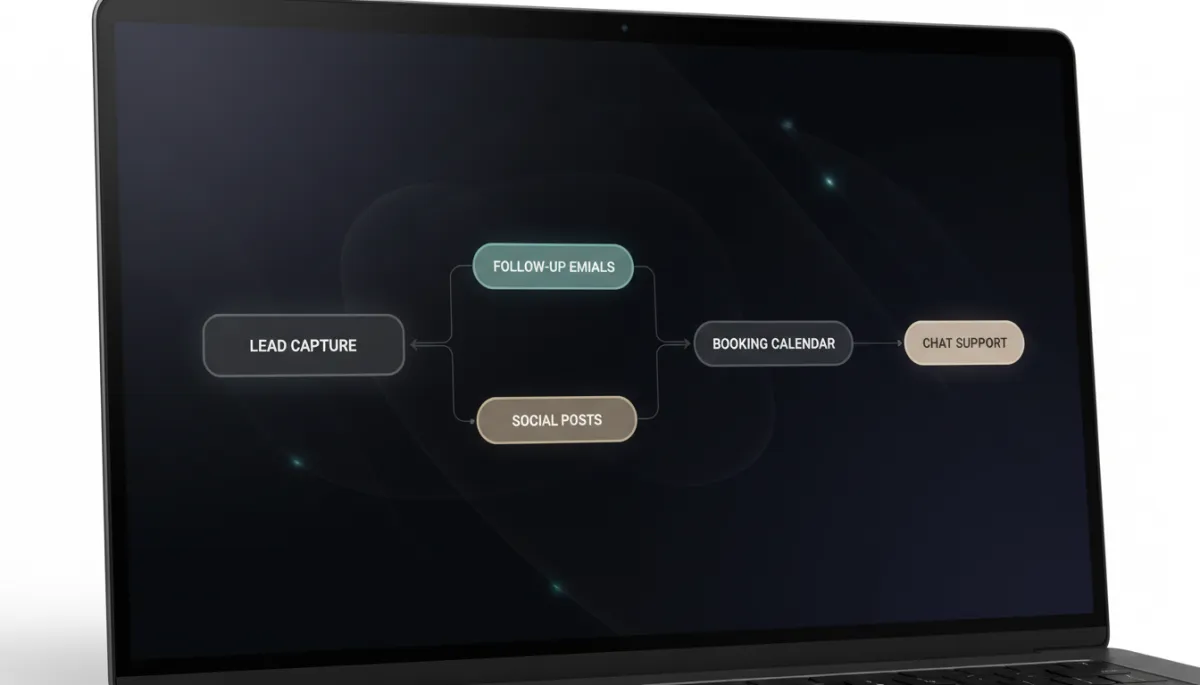
To avoid overwhelm, focus on the highest-leverage parts of your customer journey. For most small businesses, these five areas deliver the fastest wins with business automation without coding.
1. Lead Capture
Replace static contact forms with smart capture flows. A no-code AI tool can:
- Qualify leads by asking a few conversational questions on your website or landing page.
- Enrich data (industry, company size, location) from public sources automatically.
- Send the right leads to your CRM, email tool, or spreadsheet instantly.
2. Follow-Up
Manual follow-up is where deals go to die. Modern AI tools for founders can generate personalised follow-up emails, adapt tone to your brand, and space messages intelligently. You define the guardrails; the AI writes, schedules, and sends. No developer needed.
3. Appointment Booking
Instead of back-and-forth emails, connect a booking calendar to your website, email sequences, and even DMs. A no-code workflow can:
- Offer time slots based on your real availability.
- Send AI-generated reminders and prep materials before the call.
- Log meeting notes and next steps into your CRM afterwards.
4. Social Media Posting
Instead of writing every caption from scratch, use AI to draft posts from your existing content—blog articles, emails, transcripts, or product pages. No-code AI automation for business can automatically:
- Repurpose a single piece of content into multiple posts across platforms.
- Optimise post length and hashtags by channel.
- Queue content at the best times for your audience.
5. Customer Support
This is where AI automation non-technical teams can manage really shines. Instead of a static FAQ page, you can deploy a conversational assistant trained on your policies, product docs, and past tickets. With a no-code builder, you can:
- Answer common questions instantly across web, email, and chat.
- Escalate complex issues to humans with full context and suggested replies.
- Log every interaction into your helpdesk or CRM automatically.
5. Real No-Code Tools and Workflows (Without the Jargon)
You don’t need to memorise brand names to understand what’s possible. Most modern platforms fall into a few clear categories, each of which you can control visually:
- Workflow Integrators: These connect your apps (forms, CRM, email, calendar, payment, helpdesk) so data moves automatically. You build flows like “When a new row is added in this sheet, create a deal and send a message.”
- AI Content Engines: These specialise in generating and improving content—emails, captions, product descriptions, support replies—using your brand voice and guidelines.
- Agent Builders: These let you create AI “agents” that can follow multi-step instructions, call other tools, and collaborate with each other to handle tasks like lead qualification or support triage.
A typical non-technical stack might look like this:
- Website form or chatbot → workflow integrator → CRM + email tool + calendar.
- New blog post → AI content engine → 10 social posts + 3 email subject lines + 1 LinkedIn article draft.
- Support inbox → agent builder → auto-answer FAQs + route complex issues + propose refunds or upgrades based on your rules.
6. Common Mistakes That Kill No-Code AI Projects (And How to Avoid Them)
The tools are powerful, but they’re not magic. Here are the most common pitfalls that derail no-code AI projects—and how you can sidestep them from day one.
- Starting with edge cases instead of core processes. Founders often try to automate something exotic (“AI that predicts which product a customer will buy in six months”) before they’ve automated basic follow-up. Fix: Start with simple, repetitive tasks you already do daily.
- Skipping documentation. When you don’t document what a workflow is supposed to do, small changes can create big problems. Fix: For every automation, keep a one-page note: trigger, steps, owner, success metrics, and failure conditions.
- Letting AI run unsupervised too early. Even though AI agents are powerful, they still make mistakes. Fix: Start in “assisted mode”: have AI draft, you approve. Once accuracy is consistent, move to full automation for low-risk tasks.
- Ignoring data quality. If your CRM is messy or your product data is incomplete, AI will amplify those problems. Fix: Spend a few hours cleaning key fields (names, emails, tags, product attributes) before you scale automation.
- Trying to automate everything at once. This is the fastest route to burnout. Fix: Limit yourself to one new workflow per week. That’s four powerful automations in a month—more than enough to transform your operations.
7. Your 30-Day Automation Roadmap
You don’t need a six-month transformation plan. You need a practical 30-day roadmap you can follow between client calls and product work. Here’s a simple, empowering path you can start this week.
Week 1: Map and Measure
- List your top 10 recurring tasks (lead replies, proposals, social posts, scheduling, support).
- Estimate time spent weekly on each task. Highlight the top three time drains.
- Choose one area from the “Big Five” (lead capture, follow-up, booking, social, support) as your first automation target.
Week 2: Build Your First Workflow
- Pick a no-code workflow builder that integrates with your existing tools (email, CRM, calendar, store, or booking system).
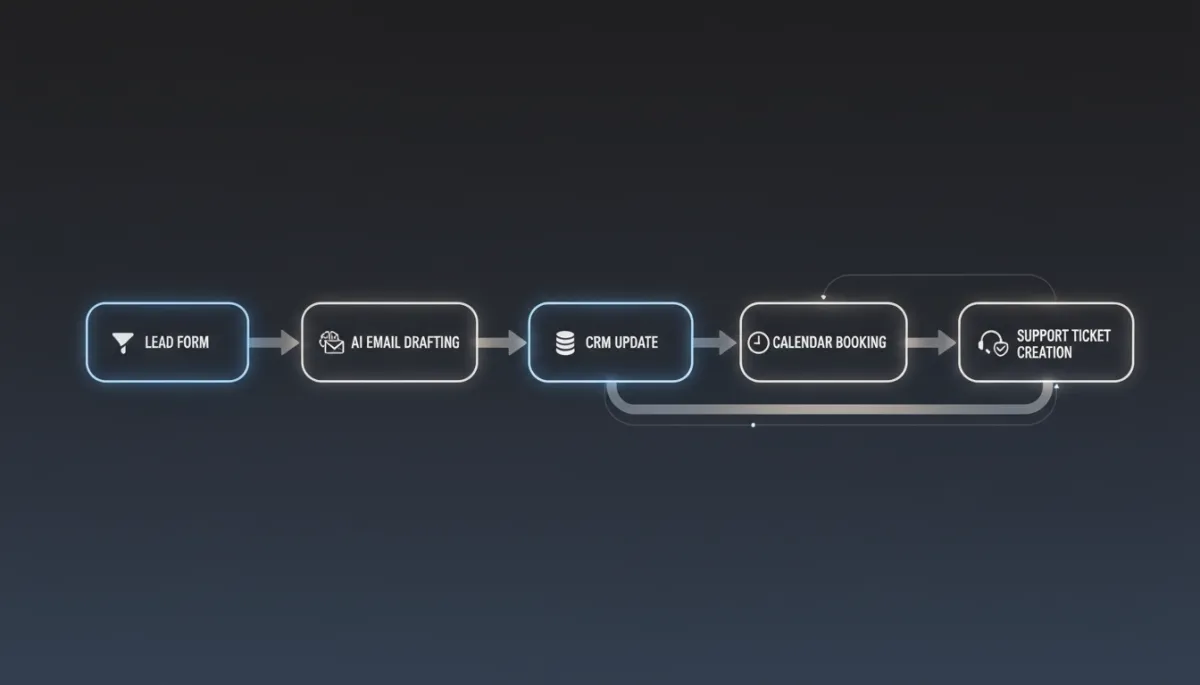
- Create a simple trigger → action flow. Example: “New lead submits form” → “Send welcome email” → “Create contact in CRM” → “Notify me in chat.”
- Run it in test mode for a few days. Fix edge cases before switching it fully on.
Week 3: Layer in AI Intelligence
- Upgrade your workflow with AI steps: personalised email drafting, lead scoring, summarising customer messages, or generating social captions from your blog posts.
- Keep humans in the loop. For example, have AI draft emails but require your approval before sending for the first 20–30 runs.
- Track time saved and quality improvements. This is your proof that AI is working for your business, not the other way around.
Week 4: Scale to a System
- Add a second and third workflow in other key areas—appointment booking, social posting, or support triage—using the same tools and patterns you’ve already validated.
- Create a simple “automation dashboard” (even a shared spreadsheet) listing each workflow, owner, and status so your team knows what’s live.
- Set a monthly “automation review” to tweak prompts, rules, and routing as your business evolves.
Turn Your Website into an AI-Ready Growth Engine
The no-code AI revolution isn’t about replacing you. It’s about removing the busywork that keeps you from doing your best work. In 2026, the founders who win aren’t the ones with the biggest teams—they’re the ones who treat AI as an extra set of hands and eyes embedded into every part of their business.
Your next step is simple: make sure your website and core workflows are ready for this new reality. That starts with visibility—how easily AI agents and human visitors can understand, crawl, and convert on your site.
If you want a clear, non-technical view of where you stand and what to fix first, claim your Free SEO and Website Audit at nexurate.com. You’ll get practical, prioritised recommendations to make your site AI-ready and plug no-code automation into the parts of your funnel that matter most.
